
Home mining,
at a glance.
Monitor your hardware, track solo pool stats across BTC and BCH, and control your miners from the same app.
On iPhone, iPad and Mac. Android is planned, with no date yet.
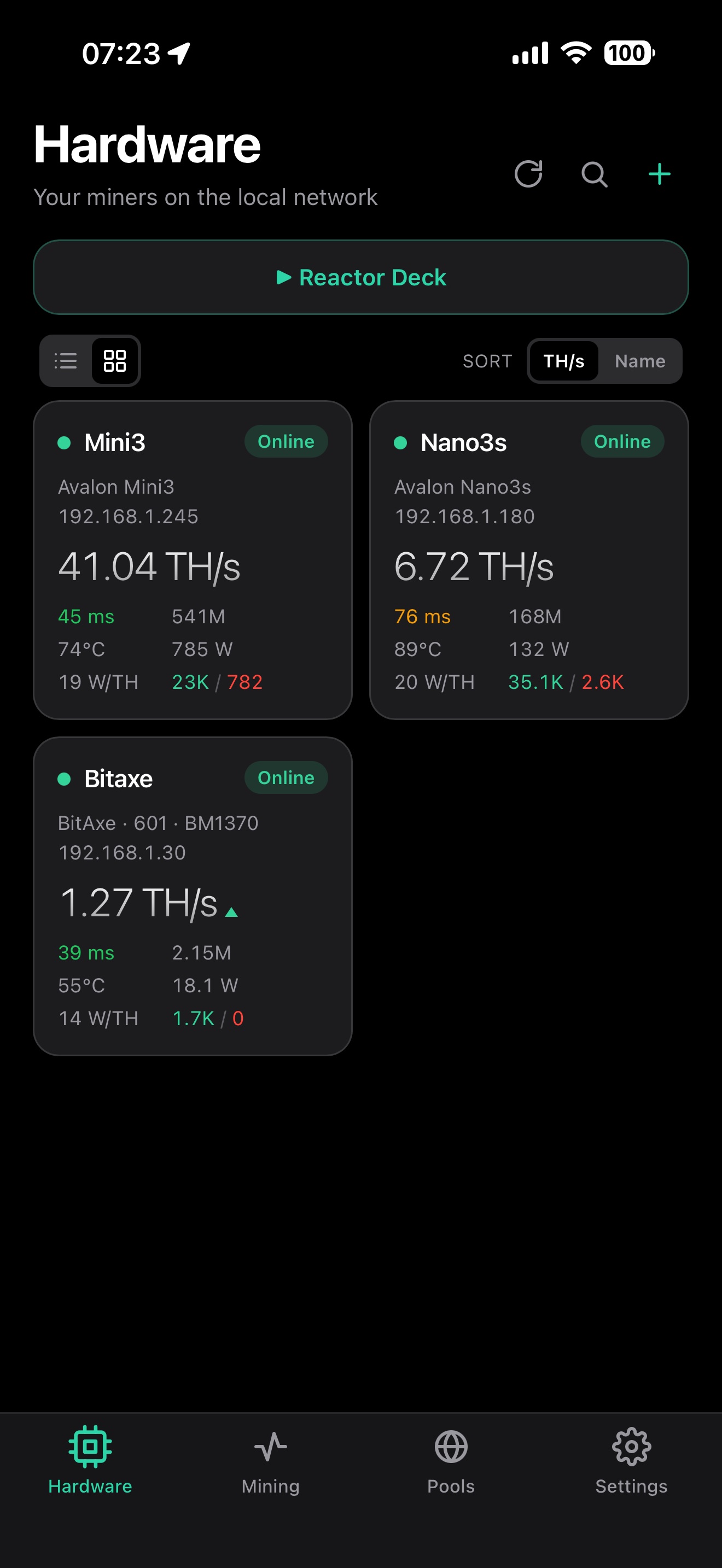
The home fleet: live hashrate, temps and status per miner.
Up and running in a few minutes.
There's nothing to install on the miners and no account to sign up for. Point SoloDeck at what you already run.
-
Connect your miners and pools
Let SoloDeck scan your LAN for ASICs, then add your solo pool wallets across BTC and BCH.
-
SoloDeck builds your dashboard
Hardware, pool stats, hashrate trends and fleet health are organised into one view built for the phone.
-
Watch, get alerted, respond
Spot a dropped worker, change a pool or switch a work mode from wherever you happen to be.
Made for small setups.
A couple of ASICs, a few solo pool wallets, and a phone to watch them with.
Control your miners
-
Auto-discovery on your LAN
SoloDeck scans your network and finds your Bitaxe and NerdQAxe (AxeOS) units, Avalon miners, Hammer boxes on ThorOS, GekkoScience KBoxes, Zyber miners on ZyberOS and any rig running Harlo-OS, so you never have to hunt for IP addresses.
-
Rigs that change address
When the router hands a miner a new IP address, after a power cut say, SoloDeck looks for it while the app is open on your Wi-Fi and moves it across with its history. No static IPs needed at home. Works on AxeOS, Avalon and ThorOS miners.
-
Change pools without leaving the app
Point any miner at a new pool from your phone, or move it onto its backup pool in one tap. Works on AxeOS, Avalon, ThorOS, Harlo-OS, ZyberOS and the GekkoScience KBox. A Harlo-OS rig splits its hashrate across up to four pools instead, so it has no backup to move to.
-
Two pools at once
Turn on Dual Pool on a NerdQAxe or NerdOCTAXE and set how its hashrate splits between the two pools, all from the rig's page. Both pools show as mining, each with its share. Forge-OS rigs work the same way.
-
Change Avalon work modes remotely
Switch between Heater, Mining and Night and set the power level, Eco or Super, without touching the miner. You can also set a Nano's light, turn the screen on or off and pick what it shows, and read how close the air filter is to needing a clean.
-
Update firmware over the air
NerdQAxe, NerdOCTAXE, Hammer and Harlo-OS miners update from their page in the app, and a banner tells you when an update is out. The miner downloads the release itself; you tap Install.
-
Miner not listed? Help us add it
SoloDeck can ask a miner it doesn't know yet what it knows, take out your wallet, Wi-Fi name and other private details, and hand you a file to send us. Nothing on the miner is changed.
Watch them
-
Hashrate and history
Live, 1-hour and 24-hour rates per miner and per wallet. Charts hold 24 hours for everyone and up to a year on Premium, and the whole record exports to a text file you can open in a spreadsheet.
-
Best share and block odds
Your best share measured against live network difficulty, so you can see how close you came to a block. Difficulty and price for BTC and BCH refresh on their own.
-
Share a record as a picture
Tap the share icon on a rig's best difficulty, a wallet's best ever share or the block celebration, and SoloDeck makes a square card of it to post. The card never shows a wallet address, worker name or IP.
-
Worker status
Per-worker online or offline, last-share time and individual hashrate. When a pool stops answering, it reads as not answering rather than as an error, and the wallet page says whether your rigs are still mining to it.
-
Temps, efficiency and errors
ASIC and voltage regulator temperature, J/TH, Wi-Fi signal, and reject and hardware error rates where the hardware reports them.
-
When a miner reports a fault
If an AxeOS, NerdQAxe, Hammer, Avalon or Harlo-OS V2 miner reports a fault, like overheating or a power fault, its card turns red and its page says what happened and what to do, with Restart where the miner needs one.
-
13 pool families supported
CKPool, AtlasPool, Braiins Solo, Mineshop, Blitzpool, Bitaxe.de, Parasite, Public-Pool, SoloHash, HeliosPool, SoloPool, Molepool and NexusPool, each with its hashrate, connected miners, fees, blocks found and last block.
-
What your rigs cost to run
Put in what you pay per kWh and SoloDeck estimates the running cost from the wattage your miners report. Add a smart plug and the figure stops being an estimate: it reads at the wall, so the power supply's losses are in it, and the plug keeps counting while the app is closed.
-
On iPad and Mac too
A layout made for iPad, with the list and the miner, wallet or pool you picked side by side. The same layout runs on a Mac with Apple silicon, in a window you can resize. It's one app, so Premium covers your iPhone, iPad and Mac.
Away from the miners
-
Four push alerts
Block Found, New Best Share, Worker Offline and Worker Online, pushed to your phone even with the app closed. The alerts page has the timing and the pool details.
-
Home-screen widgets
Live hashrate and best share on your home screen, plus a banner when one of your miners solves a block. They work on Tinted and Clear home screens too.
-
Your miners from anywhere
Pool stats and alerts work wherever you are. The miners themselves only answer at home, and a free Tailscale setup on an Umbrel or a spare Raspberry Pi fixes that: the guide takes about 15 minutes.
Your data
-
Kept on your phone
Wallets, rigs and settings are stored on your device, and there's no account to make. The only things that leave it are what's needed to fetch pool stats and send the alerts you turn on. The privacy policy has the detail.
-
Move to a new phone
Write your setup to a file and restore it on the new one. Passwords aren't in the file.
-
Hide addresses before a screenshot
Two switches in Settings hide your wallet addresses and your miners' network details, meaning IP and MAC addresses and Wi-Fi names, for when you post a screenshot.
-
Read a miner's log without a browser
Record the log off a Bitaxe, NerdQAxe or Hammer and export it with the model, firmware, clock and temperatures attached, ready to send to whoever sold you the device.
Mine to your own node.
SoloDeck reads Bitcoin Core and a self-hosted Public Pool straight off your own box, over your own network. It doesn't go through a pool site, or through us. SoloDeck doesn't run a node for you, and your phone can't be one: it watches the node you already run at home.
-
Node status
Chain tip, peers, mempool size and the current fee bands, read from your node's RPC.
-
Workers on your pool
Every miner connected to your Public Pool, with its hashrate trace, best share and last-share time.
-
What the next block is worth
Subsidy plus the fees sitting in your own mempool, and your odds of finding it at the hashrate you're running.
-
A block found while the app was shut
SoloDeck keeps track of the last block your pool solved, so one found overnight is still waiting when you open it.
-
Credentials stay on the phone
Your RPC details are held in the iOS keychain and never sent to a server. The node tab only ever talks to your box.
-
What it works with
Bitcoin Core or Knots, on an Umbrel or a build of your own, with a self-hosted Public Pool.
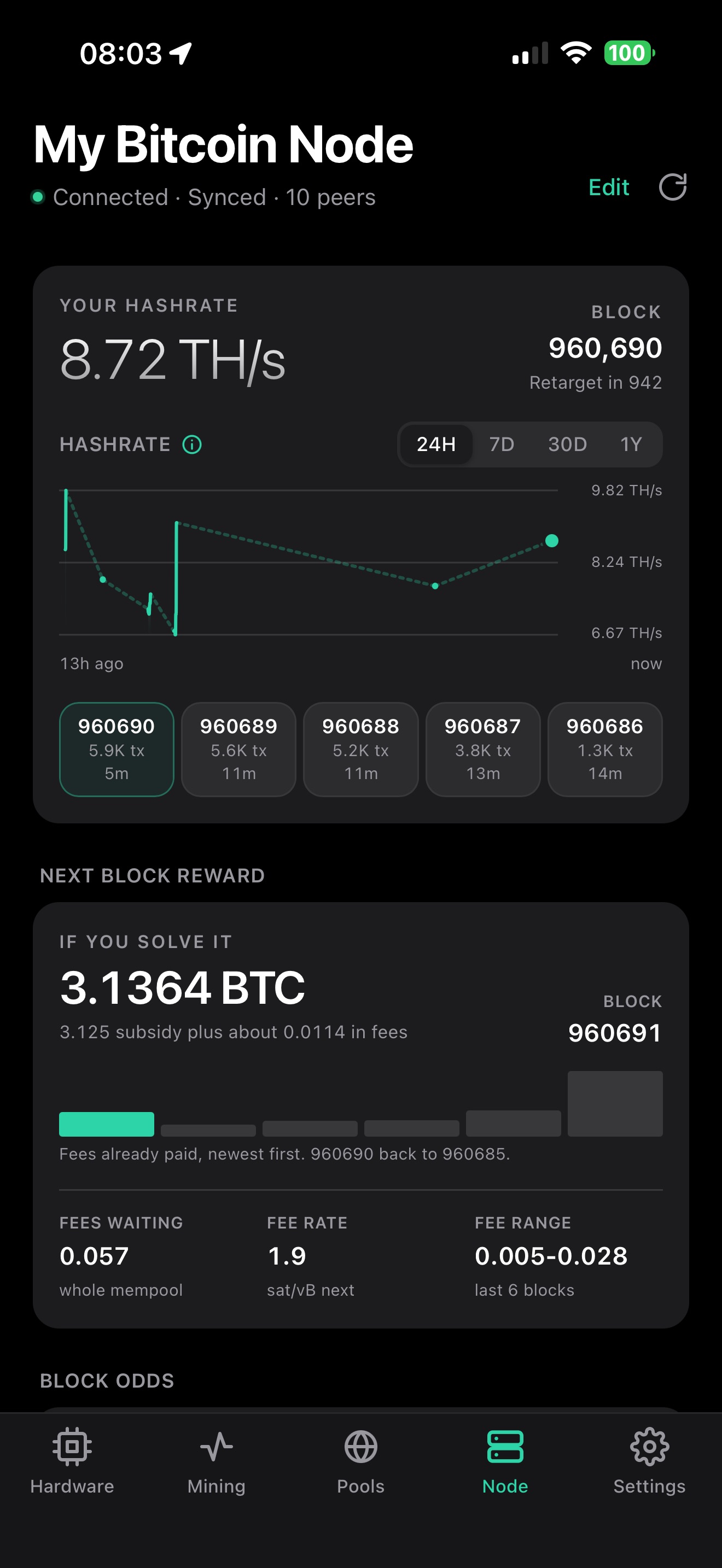
Chain tip, peers, next block reward.
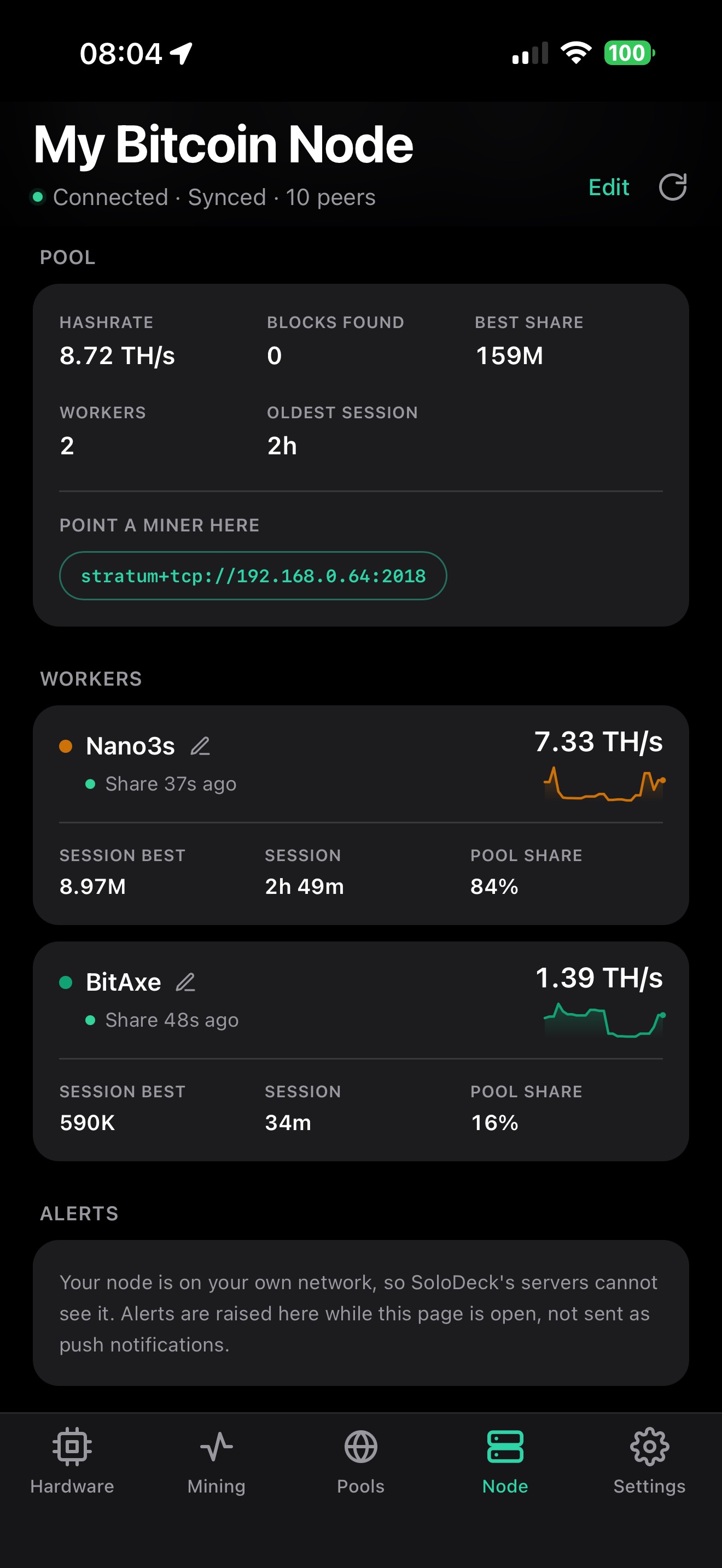
Every worker on your own pool.
Part of Premium. Setup takes an address and a password, and the FAQ shows you how to connect it.
Measure the power at the wall.
A miner reports the power its firmware thinks it's drawing, which leaves out what the power supply loses. Put a metering smart plug in front of your rigs and SoloDeck reads the real figure from that.
-
Shelly, read straight off the plug
Plug-shaped Shellys that meter, Gen2 and newer: Plus, Pro, Gen3 and Gen4. The scan that finds your miners finds these too, so there's nothing to pair.
-
Any Tasmota plug with power monitoring
Tasmota is one firmware, so a metering plug running it answers the same way whoever made it. The same scan finds it.
-
Anything Home Assistant already meters
Tapo, Zigbee sockets, a Shelly EM: if Home Assistant reads it, SoloDeck can read it through Home Assistant. Give SoloDeck the address and a long-lived token, then pick your plug from the list.
-
One plug for several rigs
Three rigs on one extension need one plug. Tick the rigs behind it and SoloDeck counts that outlet's electricity once for all of them.
-
Power cycle a stuck rig
A rig behind a Shelly or Tasmota plug can be switched off and back on from its page. The plug turns itself back on after 10 seconds, so the rig can't be left off. When a rig stops answering while its plug still draws power, its card offers it.
-
Plugs we've tested
One for each route above, each run on the bench with real miners behind it: a Shelly Plus Plug UK, a Local Bytes LB-PLUG-PM-UK-1 on Tasmota, and a Tapo P110 through Home Assistant.
-
What SoloDeck can't read
SoloDeck reads one outlet per plug, so on a metering power strip it only reads the first. Gen1 Shellys use an older API and aren't supported. The Shelly EM line has no switched outlet, so the scan leaves it out; read one through Home Assistant. A plug with a web password can't be read directly either, so clear the password or use Home Assistant.
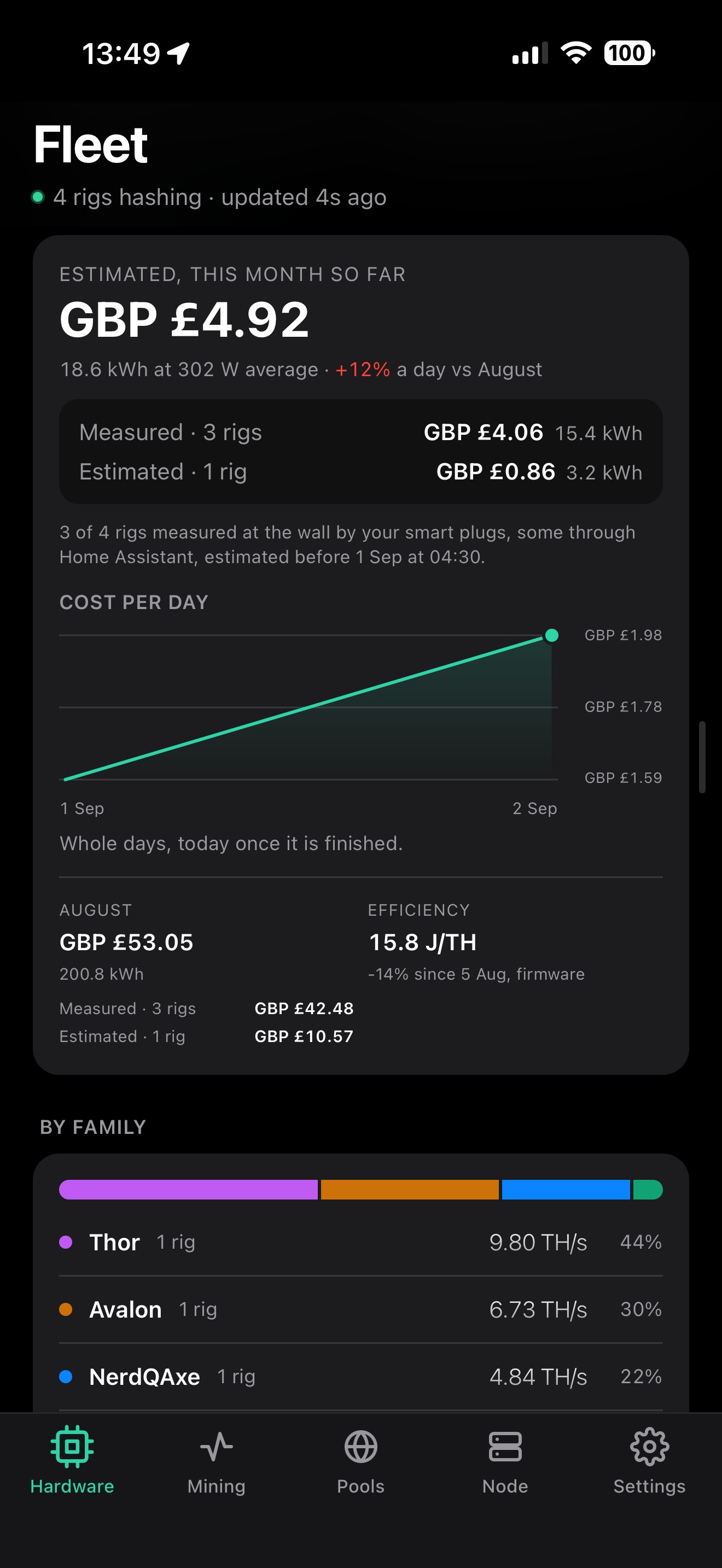
Measured and estimated, kept apart.
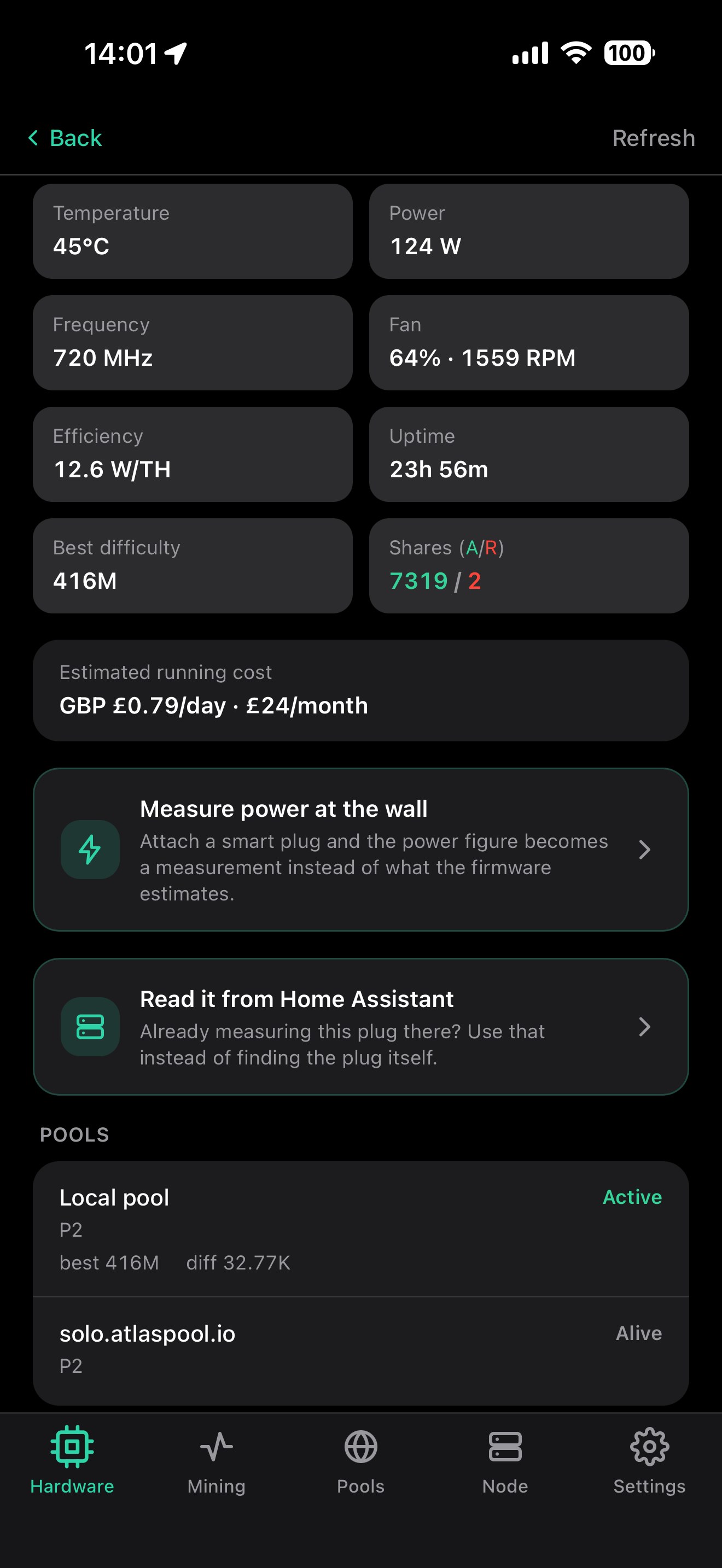
Both routes, on the miner's own page.
Part of Premium. The FAQ covers what a plug adds and how to connect one.
Designed for the ten-second check.
Big numbers, clear status, nothing buried in menus.
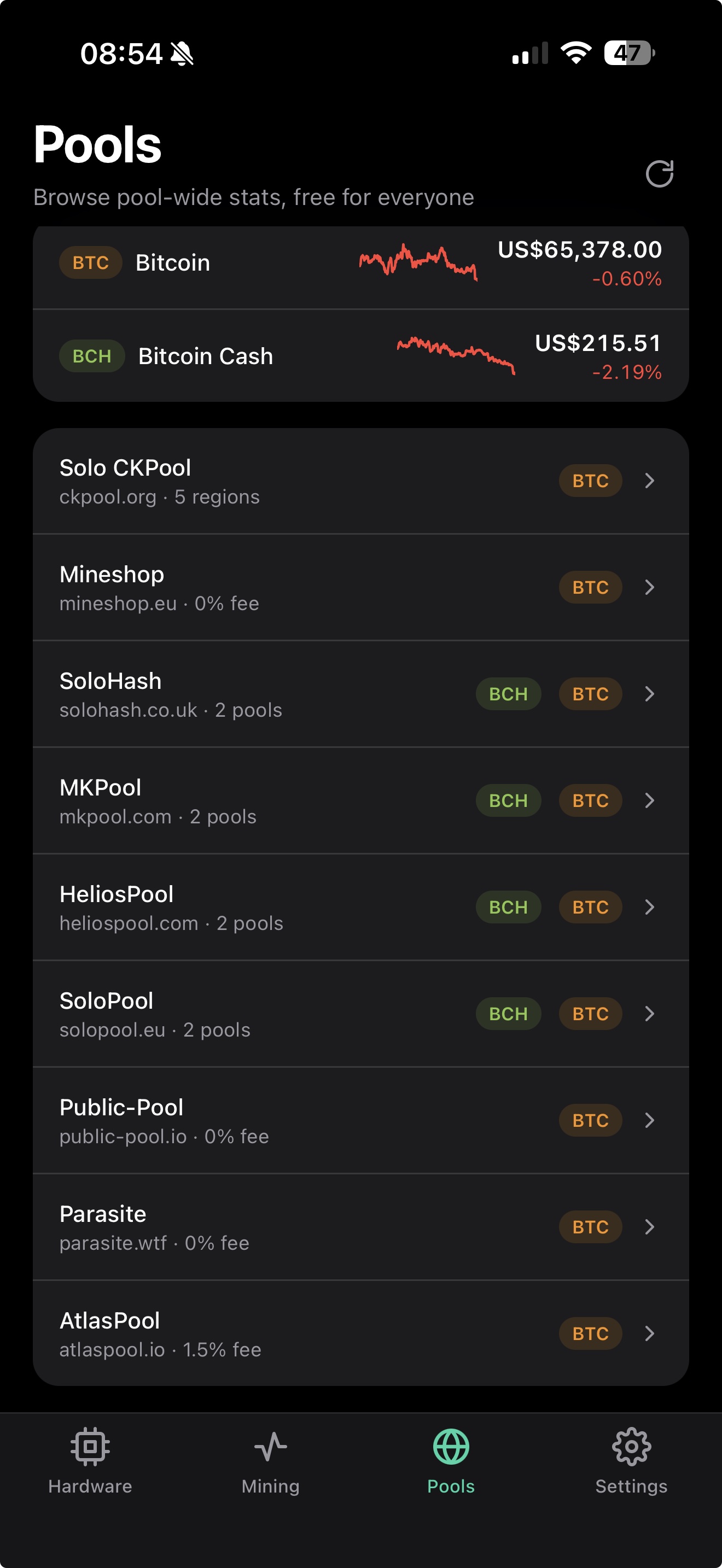
Every solo pool in one list.
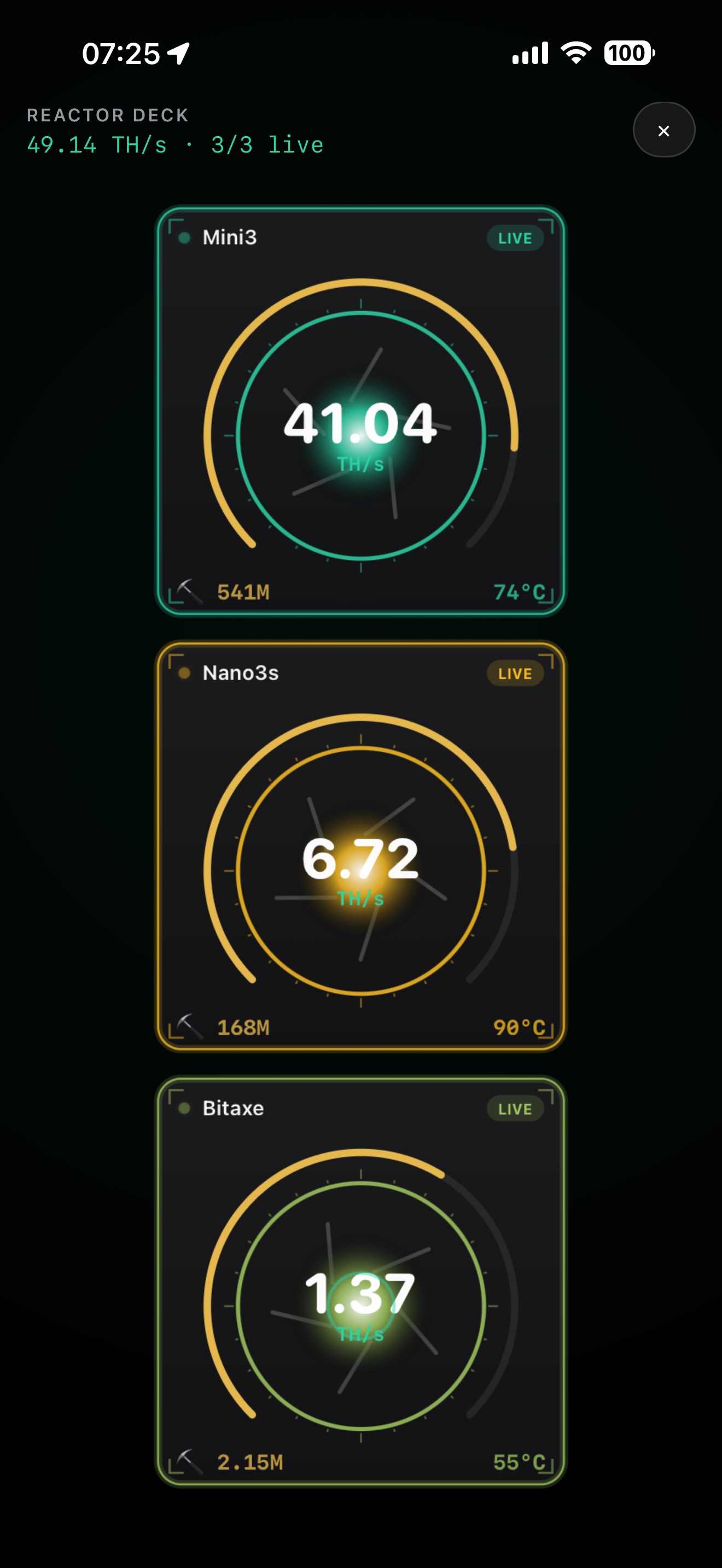
Your fleet, live.
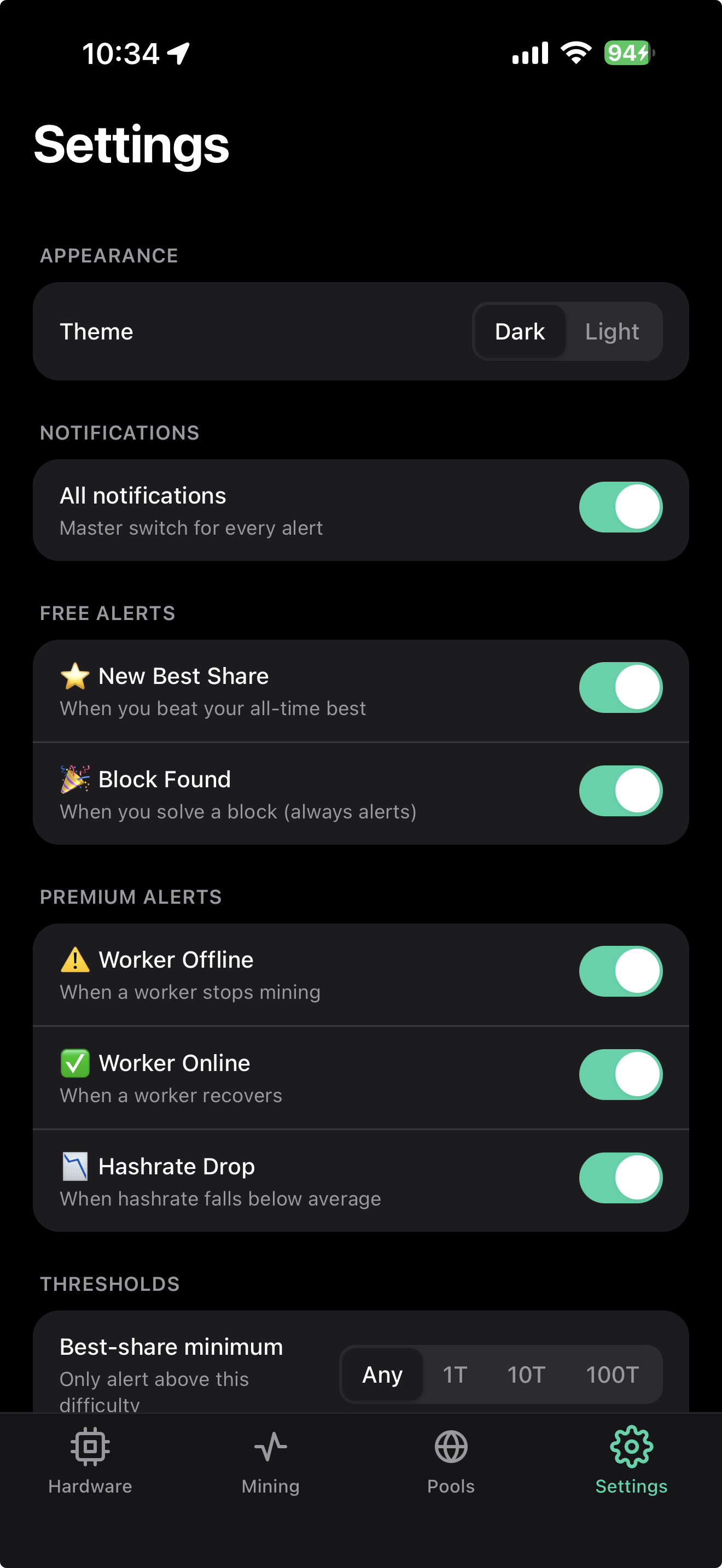
Pick the ones you want.
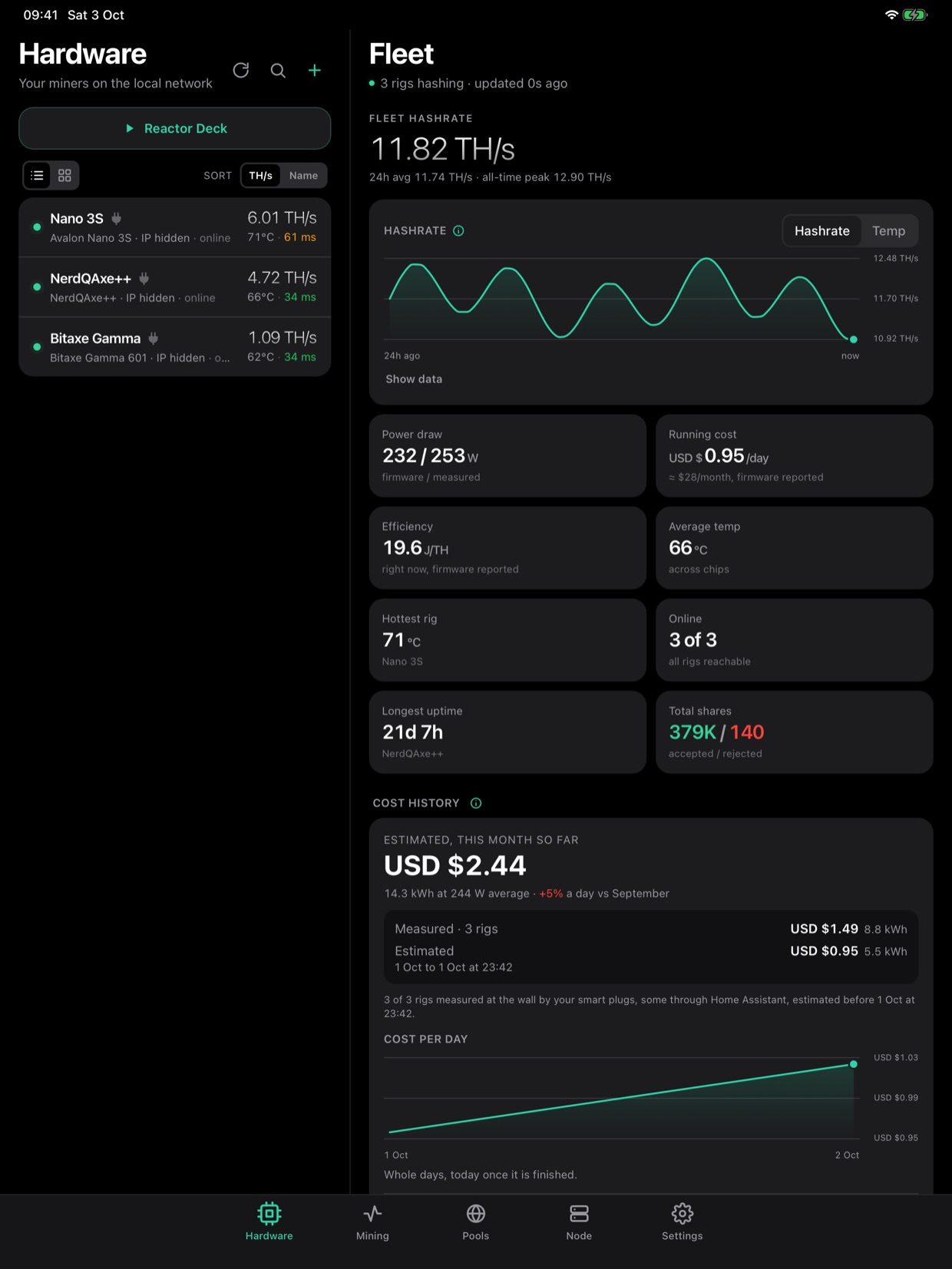
The list and the page you picked, side by side.
Common questions.
If yours isn't here, email support@solodeck.app and you'll get a reply from a person.
What does SoloDeck monitor?
Your home ASICs (Bitaxe, Gamma Hex included, NerdQAxe and Naja Duo on AxeOS, Avalon, Hammer on ThorOS, the GekkoScience KBox, Zyber on ZyberOS, and any rig running Harlo-OS) on your LAN, plus your solo pool wallets across BTC and BCH. It tracks hashrate, best share and block odds, worker status, temperatures, pool stats and network difficulty.
My miner isn't listed. Can you add it?
Send us its readings and we'll work on it. In the app, tap + on the Hardware tab, then Miner not listed? Help us add it, under the Add device button. The network scan has the same button. If SoloDeck already reads your miner but gets its name or a stat wrong, use Send readings on the miner's page instead.
SoloDeck asks the miner what it knows, only reading and never changing anything, then takes out your wallet, passwords, Wi-Fi name, serial numbers and network addresses before it writes the file. Nothing is uploaded: the share sheet opens, and you send the file to support@solodeck.app. It's free.
Does it support multiple pools?
Yes. SoloDeck reads thirteen pool families and shows them all in one place; the full list is under Features. More will be added over time. If you run a pool, or want yours added, here is what SoloDeck needs from its API.
Is it for home miners?
Yes, and only for home miners. It's built for hobbyists running a handful of ASICs at home on solo pools, not for farm-scale operations.
Can I use it on iPad, Mac or Android?
SoloDeck is on the App Store for iPhone and iPad, and needs iOS or iPadOS 15 or later. On an iPad it puts the list and the page you picked side by side.
It also runs on a Mac with Apple silicon (M1 or later) and macOS 26 or later. Get it from the App Store on your Mac. It's the iPad layout in a window you can resize, and it finds the miners on your network the same way.
It's one app, so Premium covers all of them with the same Apple ID. If it doesn't show on another device straight away, open the Premium screen and tap Restore Purchases.
Android is planned, but there's no date for it yet.
Do my iPhone, iPad and Mac share data?
No. Each install keeps its own rigs, wallets, settings, charts and cost history, and nothing syncs between them. There's no account, so there's nowhere for it to sync through.
Premium does carry over. On the second device, open the Premium screen and tap Restore Purchases, signed in with the same Apple ID.
To set up the second device the same way, go to Backup in Settings, tap Save to a file on the first device and Restore from a file on the other. The file holds no passwords, so you type those in again. Backup and restore is part of Premium.
Alerts follow the wallets on each device, so a wallet added on both sends its alerts to both.
Does it send alerts? How do they work?
Yes. They're cloud-delivered push notifications, so they reach you even when the app is closed. Four event types: Block Found, New Best Share, Worker Offline and Worker Online. Block Found and Best Share are free; the other two are part of Premium. There's a page on how alerts work with the timing and the pool details.
How do I connect SoloDeck to my own Bitcoin node?
First, SoloDeck is not a node and doesn't run one. It reads a node you already run at home, on an Umbrel or a computer of your own. Your phone can't be the node either: a node runs around the clock, keeps the whole blockchain, which is hundreds of gigabytes, and takes connections from your miners, while iOS pauses any app you're not looking at.
Open the My Bitcoin Node tab and fill in five fields. It works with any Bitcoin Core or Knots node whose RPC answers on your own network, Umbrel or a build of your own, sitting behind a self-hosted Public Pool.
The address is your box's address on your home network, and it's the same one for both the pool field and the node field. Your router's device list has it, so does the Umbrel dashboard.
The pool port is whatever serves your pool's own web page: 2019 on Umbrel's Public Pool, 3334 if you installed it by hand. The node port is Bitcoin Core's RPC, usually 8332.
On Umbrel, the RPC user and password are in the Bitcoin Node app's connection details, the ones it shows you for connecting wallets. The user is normally umbrel and the password is long and random, so paste it. Reinstalling the Bitcoin app generates a new one. Don't look in bitcoin.conf. It stores a hash of the password, never the password.
To reach it from outside the house, set up a Tailscale subnet route and keep entering your normal home address rather than a Tailscale 100.x address.
Your credentials are held in the iOS keychain on your phone and are never sent to us. Premium.
My node says it refused this device's IP. How do I fix it?
Your phone reached the node, but Bitcoin Core turned it away before it looked at the password, so the password isn't the problem. Core only answers addresses on its allow list, the rpcallowip lines in bitcoin.conf, and your home network isn't on it yet. Your pool has no such list, which is why the page can still say Connected while the node is unreachable.
First, work out your home network range. Your phone only shows its own address, so on your home Wi-Fi with any VPN off, open Settings, then Wi-Fi, tap the i next to the network and look at IP Address. Replace the last number with 0/24. So 192.168.1.80 becomes 192.168.1.0/24.
On Umbrel, open Terminal on a Mac or PowerShell on Windows, on your home Wi-Fi, and sign in to the box with your Umbrel password:
Paste this with your own range swapped in, then the second line to restart the Bitcoin Node app:
It has to be bitcoin.conf. Umbrel rewrites umbrel-bitcoin.conf itself, so a line added there is lost.
On a node you built yourself, add the same line to bitcoin.conf and restart Core. If you set rpcwhitelist, a call missing from it gets this same refusal.
Don't use 0.0.0.0/0. It lets any address try your RPC password. The new line only adds your home network to the list, so reaching the node through Tailscale keeps working.
What does a smart plug add?
Without one, SoloDeck uses the wattage each miner reports. That's what the firmware thinks it draws, and it leaves out what the power supply loses, so it reads a little under the wall. A metering plug measures at the socket, so the losses are in the figure.
A plug also covers the hours the app was closed. Without one, SoloDeck averages the draw it saw and carries it across the time it didn't, and the app marks that figure as an estimate. A plug keeps its own energy counter, so SoloDeck reads the real total the next time it looks.
Cost is worked out from the energy when you look, so changing your kWh price re-prices the whole history. On a night tariff, set both rates and their hours, and each stretch is priced at the rate that applied.
A Shelly or Tasmota plug can also power cycle a rig that's stuck. SoloDeck sends the plug one command: switch off, then back on after 10 seconds. The plug does the switching on itself, so a phone that drops off Wi-Fi halfway can't leave the rig off. Everything on that outlet goes off for those 10 seconds, so the confirm names every rig behind it. Tasmota needs firmware 13.4 or newer for this, and a plug read through Home Assistant can't do it.
Plug reading, the power cycle and the cost history are Premium. Which plugs work is in the smart plugs section.
How do I connect a smart plug?
A Shelly or Tasmota plug needs no pairing. Run the scan on the Hardware tab and the plug appears under Smart plugs at the bottom of the list. Tap it, tick every rig plugged into it, and SoloDeck starts counting. Plugs that don't meter power aren't listed.
For anything else, use Home Assistant. Add a Home Assistant meter and give it the server's address (usually port 8123) and a long-lived access token. To make the token, click your name at the bottom left in Home Assistant, then Security, then Create token. SoloDeck lists the plugs Home Assistant can see: pick yours, then its power sensor and its kWh total. The token is stored in the iOS keychain.
Before you buy: SoloDeck reads one outlet per plug, so on a metering power strip it only reads the first. And a Shelly or Tasmota with a web password can't be read directly; clear the password or go through Home Assistant.
How do the charts work?
SoloDeck records while it's open. Every refresh feeds the 24 hour chart, and the longer ranges keep one reading per 15 minutes so a year of them still fits on your phone. Nothing is recorded on a server for you.
Time the app spent closed leaves a hole in those readings. The line draws straight through so the chart stays easy to read, and the caption under it tells you how much was actually recorded: as hours and minutes on the 24 hour chart, and as a share of the range on the longer ones. The average beside it only uses the recorded stretches, not the gaps.
24 hours is free and stays on your phone. The 7D, 30D and 1Y ranges are Premium, and they fill from the day you switch them on, so a new subscriber's year is empty at first.
A fleet total only counts the rigs that answered. If two miners miss a refresh, that point would read as a crash that never happened, so it's dropped and the line carries on past it. Switching a rig off for good is a real change, and that stays on the chart.
Premium can export the whole history to a text file from Settings.
How is fleet efficiency worked out?
The Efficiency figure on the Fleet page is the fleet's total watts divided by its total hashrate. Each rig counts in proportion to the hashing it does. Averaging the rigs' own J/TH figures would let a small rig count as much as a big one.
Take an Avalon Q doing 90 TH/s on 1,674 W (18.6 J/TH) and a Bitaxe doing 1.2 TH/s on 18 W (15 J/TH). Together that's 1,692 W for 91.2 TH/s, so 18.6 J/TH. An average of the two would say 16.8, as if the Bitaxe did half the work.
It uses the wattage each miner reports, so it leaves out what the power supplies lose. A rig that doesn't report its power is left out of both totals.
Do I need to be at home to check my miners?
Pool stats and alerts work from anywhere. LAN features like ASIC auto-discovery and direct miner control run while you're on the same network as your rigs.
There's a free way to make those work from anywhere too, and with an Umbrel it takes about 15 minutes to set up: follow the step-by-step guide.
What's free versus Premium?
Free covers one wallet, up to ten miners on your network, 24 hours of charts, Block Found and Best Share alerts, and the small widget.
Premium is $3.99/month, or $29.99/year with a 7-day free trial. It lifts both limits to unlimited, and adds the My Bitcoin Node tab, smart plugs with what the fleet costs to run and a power cycle for a stuck rig, a year of chart history with export, backup and restore, the other two alerts with custom thresholds and quiet hours, and the medium and large widgets.
Your rigs, in your pocket.
On iPhone, iPad and Mac now. Android is planned, but there's no date for it yet.
Keep SoloDeck independent.
I'm a home miner myself, and I built SoloDeck because I was tired of juggling a dozen pool tabs and miner web pages just to check on my rigs. It's a one-person passion project. Your wallets and rigs stay on your device, and if it earns a spot on your home screen, an on-chain tip helps fund the next build. Entirely optional.
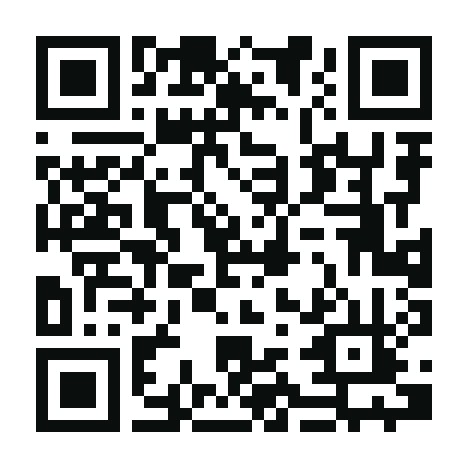
bc1q8e5ph7hnfqdtxnrxuhhxyt3gs4duslde7gts3h